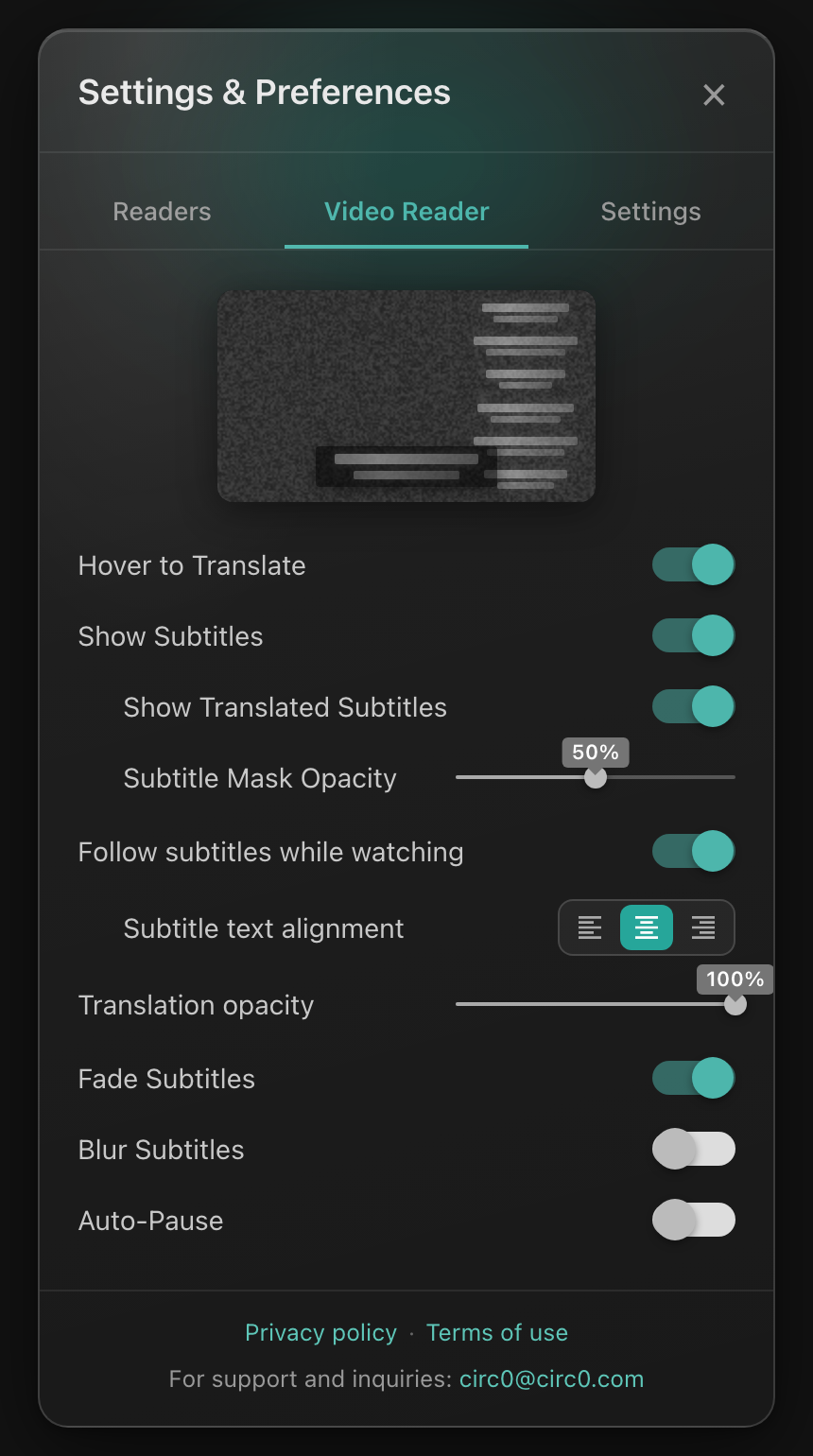
CIRCØ Video Reader Settings & Preferences: fine-tune Subtitle Mask Opacity, Read-Along sidecar synchronization, Fade/Blur Subtitles, and Auto-Pause.
The Immersion Paradox: You have committed to total language immersion. For weeks, you have been in "Monk Mode" — grinding through target-language dramas with target-language audio and subtitles. Then Friday arrives. A new season of Dark Matter premieres, or a new season of Dexter drops, or your favorite YouTube creator uploads a deep-dive essay in your native English.
You face a frustrating choice: do you feel guilty and abandon your learning streak for the evening, or do you deprive yourself of the cultural content you genuinely crave? What if you didn't have to choose?
Recently, while navigating this exact dilemma, a member of our community experimented with a counterintuitive setup: playing high-tension English sci-fi episodes with the audio in native English (L1), but loading Spanish subtitles (L2) along with CIRCØ's vertical Read-Along sidecar stream.
What started as an improvised compromise turned out to be an established, scientifically validated cognitive phenomenon: Reversed Subtitling.
Here is what Second Language Acquisition (SLA) researchers discovered about this "backwards" consumption model, the cognitive mechanics behind it, and how to harness CIRCØ to turn your everyday entertainment into a high-yield vocabulary engine.
In academic language acquisition research, subtitled media falls into three distinct modes, each engaging your brain's language centers differently:
When you practice Intralingual Subtitling (for example, Spanish audio + Spanish subtitles on El Ministerio del Tiempo), your brain spends enormous processing energy simply segmenting words, parsing rapid phonemes, and decoding fast conversational speech. It is the gold standard for auditory tuning, but it causes rapid cognitive fatigue after a long workday.
When you flip the configuration to Reversed Subtitling (English audio + Spanish subtitles), your brain defaults to the path of least cognitive resistance:
Language acquisition researchers (notably Martine Danan, 2004, and Bisson et al., 2014) observed striking advantages with reversed subtitling:
Reversed subtitling is not a complete substitute for full immersion.
As psycholinguists Holger Mitterer and James McQueen (2009) documented, reversed subtitling bypasses your auditory target-language parser. Because you are hearing English, your brain does not practice deciphering dropped consonants, local cadences, or fast connected speech (such as Sonoran regionalisms in Northern Mexico or rapid contractions in Madrid).
The Verdict: Reversed Subtitling is an exceptional vocabulary expansion and maintenance protocol. It prevents immersion burnout and keeps your daily streak alive when you lack the mental stamina for grueling intralingual study.
You are not limited to streaming sci-fi or crime dramas. Here are creative ways to integrate reversed subtitling into your everyday routine:
Start your morning by opening your favorite native-language news channels (such as PBS NewsHour, BBC, Vox, DW, or Bloomberg) in CIRCØ. Using CIRCØ's YouTube on-demand subtitle extractor, pull the transcript in your target language (French, Spanish, German, Japanese, and more). You stay informed on world events while absorbing high-register political, geopolitical, and economic vocabulary.
Watch high-concept lectures in computer science, philosophy, astrophysics, or psychology with your native audio, while reading the technical terminology translated into your target language. You acquire specialized domain vocabulary that traditional language apps never teach.
Listen to songs in your native tongue while following along with synchronized target-language lyric subtitles, observing how poetic expressions and metaphors bridge cultural boundaries.
Watching in reversed mode on a standard video player often leads to passive glaze-over. CIRCØ's player architecture is specifically engineered to keep your brain actively engaged:
CIRCØ Video Reader Settings & Preferences: fine-tune Subtitle Mask Opacity, Read-Along sidecar synchronization, Fade/Blur Subtitles, and Auto-Pause.
Paste any YouTube URL into CIRCØ's YouTube player. Our serverless edge cascade pulls official and community subtitle tracks in dozens of languages — or dynamically generates translated captions on the fly. You can switch target languages with a single click.
Watching an .mp4 or .mkv file from your personal collection? Drop it directly into CIRCØ's video subtitle player. Our client-side movie hash engine queries OpenSubtitles and SubDL in milliseconds, allowing you to search and attach target-language subtitle tracks directly inside the player with zero manual downloads.
In traditional players, subtitles vanish from the screen after two seconds. In CIRCØ, the Read-Along Sidecar displays a persistent, synchronized vertical transcript on the right side of the screen. Because your native audio requires zero mental strain, you can casually scan the sidecar like a dynamic dual-column reader, comparing sentence structures and verb tenses at your own pace.
Streaming a series or movie on Netflix or Amazon Prime Video? Install the free CIRCØ browser extension for Chrome, Edge, or Firefox. Turn on native audio with target-language subtitles on Netflix or Prime Video, and CIRCØ overlays interactive tap-to-translate captions, the vertical Read-Along sidecar, Auto-Pause, and automatic vocabulary sync directly inside the streaming tab.
To become truly fluent, you need both razor-sharp listening comprehension and a massive, flexible vocabulary. Here is how to balance both techniques without burning out:
By turning passive entertainment into an active lexical sponge, you never have to choose between relaxing with great cinema and mastering a new language again.
Try Reversed Subtitling in CIRCØ →
Reversed subtitling means watching a video with audio in your native language (L1) while displaying subtitles in the target language you are learning (L2) — for example, watching an English show with Spanish subtitles.
Yes. Second Language Acquisition studies by Bisson et al. (2014) and Martine Danan (2004) show that because native audio requires near-zero mental effort to understand the plot, your visual cortex scans target-language subtitles for how expressions are constructed, leading to rapid vocabulary and idiom acquisition.
No. Research by Mitterer and McQueen (2009) confirms that reversed subtitling bypasses auditory target-language processing and does not train your ear to parse spoken accents or rapid phonemes. It works best as a 30% low-energy supplement alongside 70% intralingual (L2 audio + L2 subtitles) immersion.
Open circ0.com, paste any YouTube video URL in your native language, and select your target learning language in the subtitle selector. CIRCØ fetches or translates the caption stream on demand so you can follow along and tap any word for an instant translation popover.
In CIRCØ's Video Reader Settings & Preferences, slide Subtitle Mask Opacity up to 100%. This renders a solid black subtitle box directly over the embedded video raster, cleanly covering hardcoded subtitles so you only see your target language.
Yes. Install the free CIRCØ browser extension for Chrome, Edge, or Firefox, play any show or movie on Netflix or Amazon Prime Video with native audio and target-language subtitles enabled, and CIRCØ overlays interactive tap-to-translate subtitles, the Read-Along sidecar, and Auto-Pause directly inside the streaming player.
Questions? Email circ0@circ0.com. See our privacy policy and terms of use.